On this page
The short answer
Google Drive isn’t a web host any more: Google ended web hosting in Drive on August 31, 2016, a year after deprecating it[1]. And from January 2, 2024, Drive changed how it serves downloads embedded on other websites, and asked anyone relying on its download links to switch to its publishing features[2].
The link generators you’ll find rewrite a share link into other Google addresses that we found no Google documentation for, so they can stop working without notice. For images on a website, use a host made for it.
What changed, from Google’s own notices
Web hosting in Drive is deprecated
Google announced the end of hosting web pages from Drive[1].
Web hosting in Drive ends
Pages served from googledrive.com/host stop working for good[1].
Drive stops relying on third-party cookies
Google’s notice: from January 2, 2024, Drive changed how it serves downloads embedded on other websites, and asked anyone relying on its download links to switch to its publishing features[2].
AppSheet apps can’t load Drive-hosted images for hours
Google’s status page: on January 11, 2024, AppSheet apps couldn’t load images hosted with drive.google.com/uc links for about three hours, and Google’s workaround told customers to move away from those links[3].
What Drive is still good for
Drive is a fine place to keep and share files with people: a free Google account comes with up to 15 GB, shared by Drive, Gmail and Google Photos[4]. A share link opens the file in Google’s viewer, for people to look at or download.
What it isn’t made for is serving an image straight into a web page, an online store or an email, where the browser asks for the image itself, many times over, from people who never signed in to Google.
A direct image link that lasts, with Ferry
Upload the image
Drop it into your team’s Library on Ferry, in any folder.
Copy its Public link
Every file gets a permanent link on ferrycdn.com, served through a CDN.
Pick a size
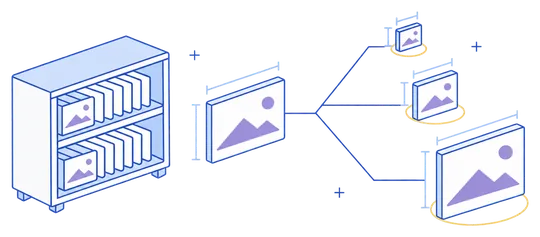
Add ?w=640 for a smaller width, or ?f=webp for WebP. The sizes are made ahead of time.
Embed it
Paste it into your HTML, Markdown, store or email. Rename or move the file later and the link keeps working.
Ferry against Google Drive for website images
Where Ferry wins
- A permanent, public link made to be embedded, served from a CDN.
- Images in widths of 320, 640, 1280 and 1920 pixels, and in WebP.
- Rename or move a file and its link keeps working.
- A Library your whole team shares, with business use allowed on the free plan.
Where Ferry falls short
- Storage: a free Google account’s up to 15 GB, shared by Drive, Gmail and Google Photos[4], against Ferry’s 10 GB Library.
- Files in Ferry’s Library can’t be deleted or replaced yet.
- No cropping or other sizes on the fly: four widths and WebP only.
- You need a Ferry account.
- No paid plans yet, if you outgrow the free one.
Frequently asked questions
Why doesn’t my Google Drive image show on my website?
Because Drive isn’t a web host: Google ended web hosting in Drive on August 31, 2016, a year after deprecating it[1]. And from January 2, 2024, Drive changed how it serves downloads embedded on other websites, and asked anyone relying on its download links to switch to its publishing features[2].
Does a Google Drive direct link generator still work?
Some do today. They rewrite your share link into other Google addresses we found no documentation for, so they may break again without warning.
Do Ferry’s image links expire?
No. A Public link keeps working for as long as the file is in your Library, even if you rename or move it.
How big can my images be?
Up to 1 GB per file on the free plan, and the Library holds 10 GB. See pricing for every limit.
Sources
Prices and limits change. Each line names the page we read and the day we read it.
- Google Drive: Google ended web hosting in Drive on August 31, 2016, a year after deprecating it. Google Workspace Updates: deprecating web hosting support in Google Drive (2015), checked on .
- Google Drive: from January 2, 2024, Drive changed how it serves downloads embedded on other websites, and asked anyone relying on its download links to switch to its publishing features. Google Workspace Updates: changes to third-party cookie requirements in Google Drive (2023), checked on .
- Google Drive: on January 11, 2024, AppSheet apps couldn’t load images hosted with drive.google.com/uc links for about three hours, and Google’s workaround told customers to move away from those links. Google Cloud Service Health: AppSheet incident of January 11, 2024, checked on .
- Google Drive: up to 15 GB, shared by Drive, Gmail and Google Photos. Google Drive Help: how storage works, checked on .
Google Drive, Gmail, Google Photos and AppSheet are trademarks of their respective owners. Ferry isn’t affiliated with any of them, and isn’t sponsored or endorsed by them: we name them only to compare.