
Library
Public links that never break
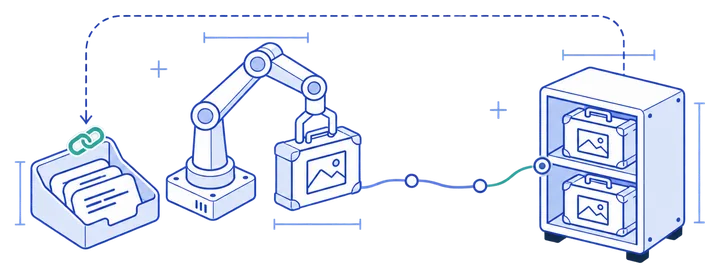
Images, videos, audio and PDFs in Folders, each with a permanent link in several sizes, ready for your website.
See Public links
For Claude Code, Codex, Cursor and any MCP client
Ferry is a file server for your team with an MCP server built in. Your agent uploads images, video and PDFs, gets a permanent Public link for each, swaps it into your code, and sends private Transfers when you ask.
Add Ferry’s skill to your agent
npx skills add https://useferry.netThe repo keeps the code. Ferry keeps the bytes, and hands back a link that never changes, even when the file is moved or renamed.
Straight to storage with a signed form, so large files never pass through the chat. A file already in the Library is reused, not stored twice.
create_uploadcomplete_uploadupload_from_url
One permanent link per file, served from ferrycdn.com in the width and format each page needs.
get_asset_urllist_assets
Only once the file is stored. Images get a srcset over standard widths, videos a poster.
get_asset
When you ask it to deliver files privately: named Recipients, an expiry, an optional password.
create_transfercomplete_transferget_transfer
Create an API key in Ferry, then follow your client’s steps, the same ones Ferry’s API keys screen shows.
On Ferry’s API keys screen, tick the scopes your agent needs: the Library, and Transfers if it will send files. The key is shown once.
Open the API keys screenNo key needed if your client signs in with the browser: claude.ai and Claude Desktop connect with the MCP server’s address alone, as a custom connector.
Add Ferry’s marketplace
claude plugin marketplace add https://app.useferry.net/api/agent/marketplace.jsonInstall the plugin: the skill and the MCP server
claude plugin install ferry@ferryInside Claude Code, run this and paste your API key. It stays in your system’s keychain.
/plugin configure ferry@ferryAlready have the skill? The MCP server alone:
export FERRY_API_KEY="ferry_…"claude mcp add --transport http --scope user ferry https://app.useferry.net/api/mcp --header 'Authorization: Bearer ${FERRY_API_KEY}'Add the skill
npx skills add https://useferry.net -g -a codexAdd the MCP server to ~/.codex/config.toml
[mcp_servers.ferry]
url = "https://app.useferry.net/api/mcp"
bearer_token_env_var = "FERRY_API_KEY"Put your API key in the environment
export FERRY_API_KEY="ferry_…"Add the skill
npx skills add https://useferry.net -g -a cursorAdd the MCP server to ~/.cursor/mcp.json
{
  "mcpServers": {
    "ferry": {
      "url": "https://app.useferry.net/api/mcp",
      "headers": {
        "Authorization": "Bearer ${env:FERRY_API_KEY}"
      }
    }
  }
}Put your API key in the environment
export FERRY_API_KEY="ferry_…"Add the skill, choosing your agent
npx skills add https://useferry.netPoint any client that reads mcpServers at Ferry. This file holds your key: keep it out of git.
{
  "mcpServers": {
    "ferry": {
      "type": "http",
      "url": "https://app.useferry.net/api/mcp",
      "headers": {
        "Authorization": "Bearer ferry_…"
      }
    }
  }
}Each tool’s description carries the upload order, the limits and what each error means, so your agent reads the rules where it needs them.
Endpoint
https://app.useferry.net/api/mcpcreate_uploadStarts an upload: the Public link and a ready curl command. Reuses a stored copy by its hash.complete_uploadChecks the file arrived and stores it.upload_from_urlHas Ferry fetch a file from a public URL, for agents without a shell.get_assetA file’s status, facts, links and sized versions.list_assetsA Folder’s files and subfolders, page by page.get_asset_urlThe link for a width, for WebP, or for a video’s poster.create_folderCreates a Folder in the Library.move_assetMoves a file to another Folder. Its link doesn’t change.create_transferA private Transfer to Recipients, with an expiry and an optional password.complete_transferMakes the Transfer ready: its links open and the invites go out.get_transferIts state, its link, and downloads per file and per Recipient.list_transfersYour Transfers, filtered by state.revoke_transferEnds a Transfer for good and deletes its files.extend_transferA new lifespan from now, or a renewal during its grace period.Each key reads or writes only what you ticked. Revoke it at any time.
An agent adds and organises Library files. It never removes them.
What an agent did shows in the Activity, under the key it used.
Paste this into your repo’s AGENTS.md or CLAUDE.md, or straight into the chat. It tells any agent how to handle media the way Ferry’s skill does. Replace the Folder with your repo’s name.
Agents can read the whole picture in /llms.txt, the Markdown summary of Ferry this site keeps for them.
## Media

Media goes to Ferry, Folder /<repo-name>/, and code references its Public link.

- Offer Ferry for images over about 300 KB or much larger than shown, and any video, audio or PDF. Never for SVG icons, favicons, generated OG images or files the build imports.
- Everything in the Library is public: ask before uploading, once per batch (the files, any renames, the Folder). Anything that looks private needs its own yes.
- Hash each file and call `create_upload` with `ifDuplicate: "reuse"`; write a link into code only after `complete_upload` reports it stored.
- Images: `?w=` at 320, 640, 1280 or 1920, with a `srcset` and `sizes`. Video: the link, plus `?v=poster` for `poster=`.
- To send files privately to someone, use a Ferry Transfer, never a Public link.

Ferry's MCP server: https://app.useferry.net/api/mcp (an API key from https://app.useferry.net/api-keys). The skill: `npx skills add https://useferry.net`.Your agent uses the same two places your team does in the web app.
Library
Images, videos, audio and PDFs in Folders, each with a permanent link in several sizes, ready for your website.
Transfers
Each Recipient gets a link of their own and you see who has downloaded. An expiry, an optional password, a reminder before it ends.
The MCP server and API keys come with every plan. Paid plans with more room are coming soon.
Anyone can sign up and create a free Workspace now.
Claude Code, Codex and Cursor have step-by-step setups above, and any client that speaks MCP over Streamable HTTP connects with an API key. The skill installs in any agent the skills CLI supports.
Not always. Clients that sign in with the browser, such as claude.ai and Claude Desktop, connect with the MCP server’s address alone, and you choose what they can do on the consent screen. For the others, create a key on Ferry’s API keys screen with the scopes your agent needs.
Not with Ferry’s skill. Everything in the Library is public, so the skill has the agent ask once per batch: the files, any renames and the Folder.
Large images make every clone slower and every diff heavier. On Ferry they’re served from a CDN in the sizes your pages need, and the repo keeps only the links.
No tool deletes a Library file. An agent can revoke one of your Transfers, which ends it and deletes its files, and the skill does that only when you ask.
No. Every file in the Library has a permanent public link. Moving or renaming the file doesn’t break it.
No. Recipients open the link and download. If the Transfer has a password, share it through another channel.
A free Workspace has 10 GB for its Library and, apart from it, 20 GB for Transfers, so sending files never eats into your Library. A Transfer holds up to 5 GB, and stops counting once you revoke it, or once it’s past expiry and its 3 days of grace. Transfers can be downloaded up to 50 GB a month.
Anyone 18 or older can sign up now. Each person can create 1 free Workspace, for up to 5 Members.
Free for a team of 5, with a 10 GB Library, 20 GB for Transfers and every MCP tool. No card, no plan to pick.
Anyone can sign up and create a free Workspace now.